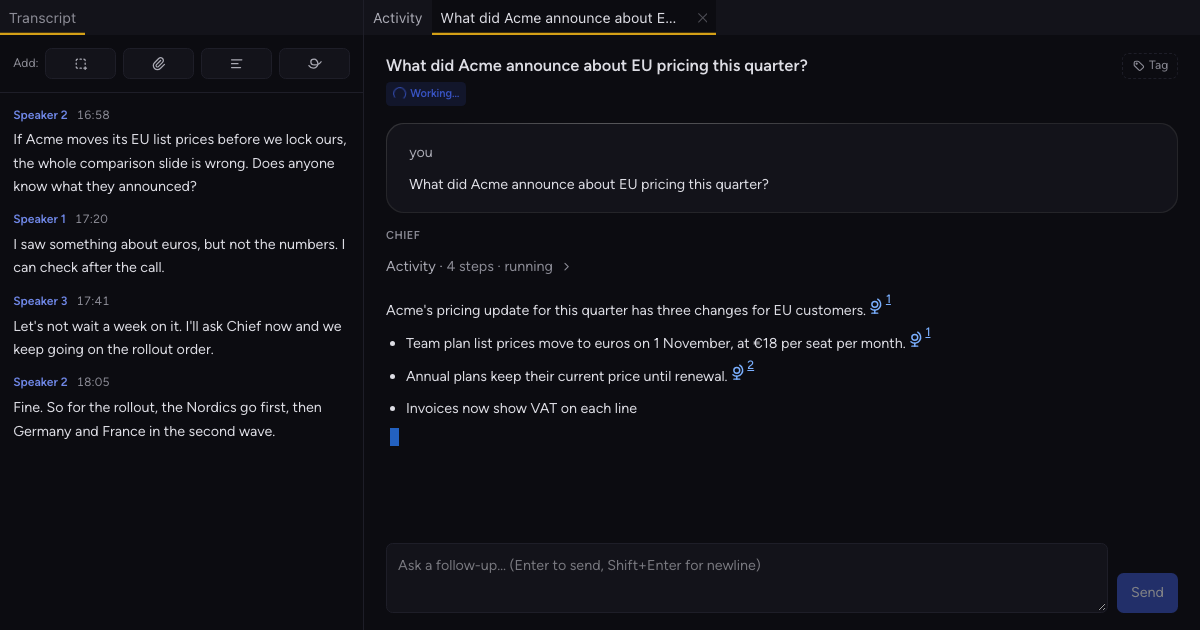
To research a question during a meeting with AI, ask Chief in the Live Session: click Chat and type it, or start a sentence with "Chief," and say it. Each question opens its own chat, which can draw on the web, your project's knowledge and the transcript so far while the call keeps going. The answer stays with the session after the call, and Chief is told to cite its sources, so check them before the room acts.
Key Takeaways
- Each question gets its own chat tab, and the call keeps recording while Chief works on it.
- Chief can search the web, your project's knowledge and past sessions. On Go Pro or higher, it can also read from tools you've connected.
- The chat stays with the session, so you can read it or follow up after the call.
What does Chief do with a question mid-call, and what doesn't it do?#
Chief looks the question up in its own chat while the call continues. Your question goes to Chief with the transcript so far and any meeting brief, plus any screenshots captured in the session. Chief can search the web, your project's knowledge and past sessions, and within one answer it can run several searches at the same time. Looking things up only reads. If you ask Chief to send or file something, it waits for your approval, unless you've pre-approved that kind of write.
A person asks, by typing, highlighting a line or saying Chief's name. With "Let Chief suggest things during a call" on, which is the default, Chief can also post a short answer card when someone asks the room a factual question. The session's Activity panel lists those cards under Answers. Questions you ask get their own chat.
The fair objection is about sources, and it's right: the answer is only as good as what Chief's searches reach. That matters most when the room is deciding what to build on one number, so open the cited source before anyone acts on it.
How to research a question during a meeting with AI#
1. Start a Live Session in the project the question belongs to#
Chief can search that project's knowledge. If your organization has more than one project, the chat bar shows a project chip. Click it and choose another project to file the chat there. The session then doesn't list it.

2. Click Chat and type the question#
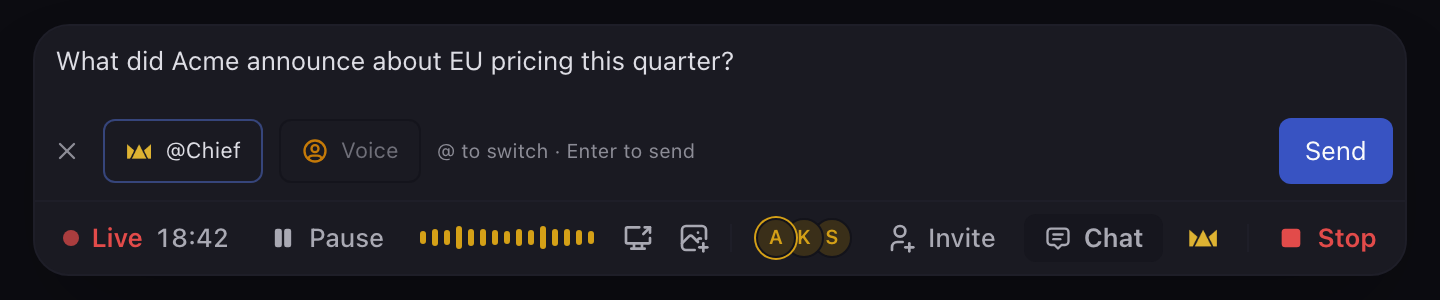
Click Chat and type your question into "Ask Chief anything about this project or session…". Press Enter to send. The Voice button lets you pick an Expert Voice for the reply.
Or highlight a line in the transcript, choose Chat, and ask about it. Or start a sentence with "Chief," and then say the question. The device that hosts the session's transcript has to hear you.
3. Keep talking while Chief works#
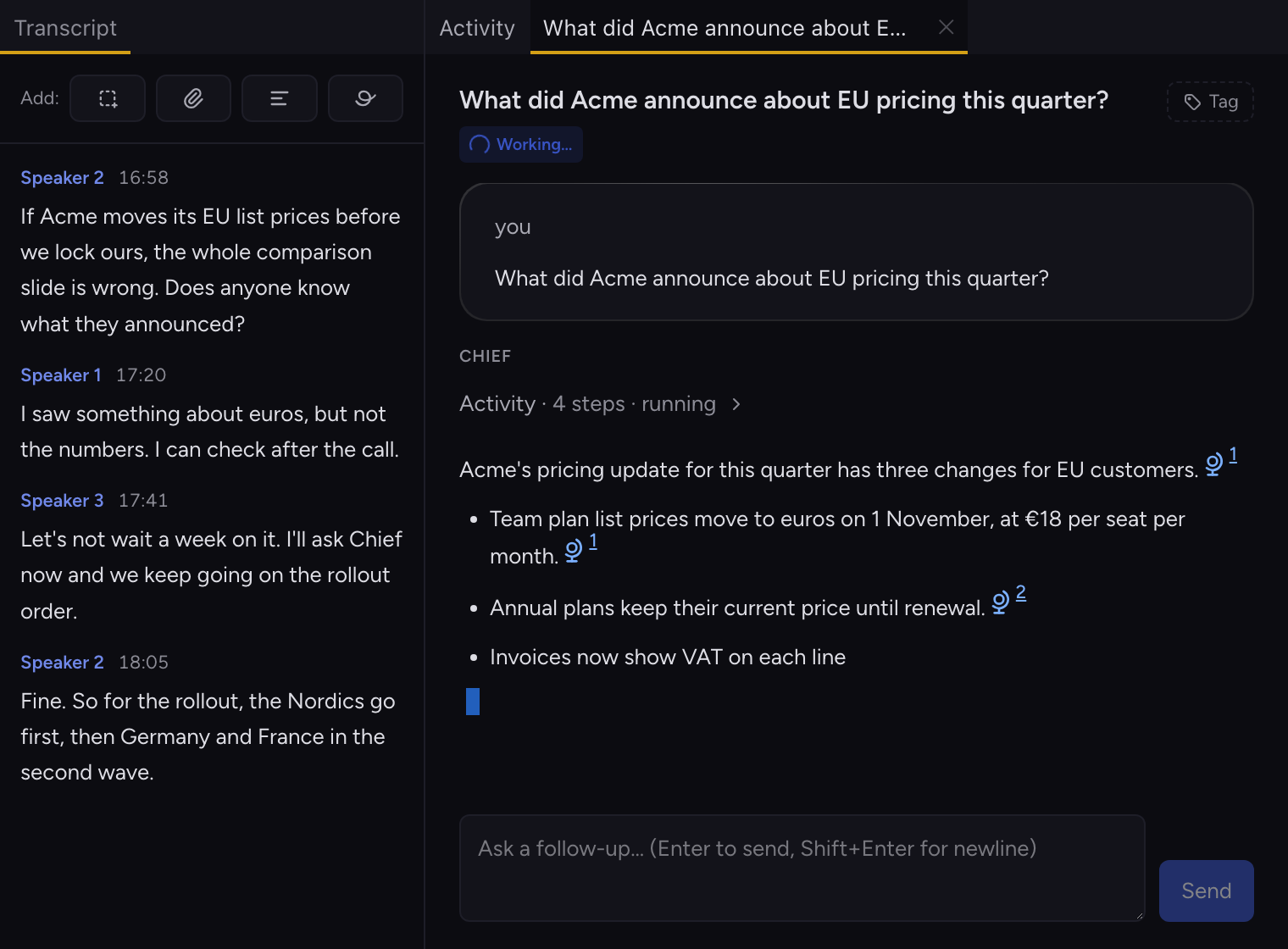
Each question opens its own chat tab beside the session, and the call keeps recording while Chief works on it. Carry on with the agenda and look when the room needs the answer.
4. Ask the next question before the first one finishes#
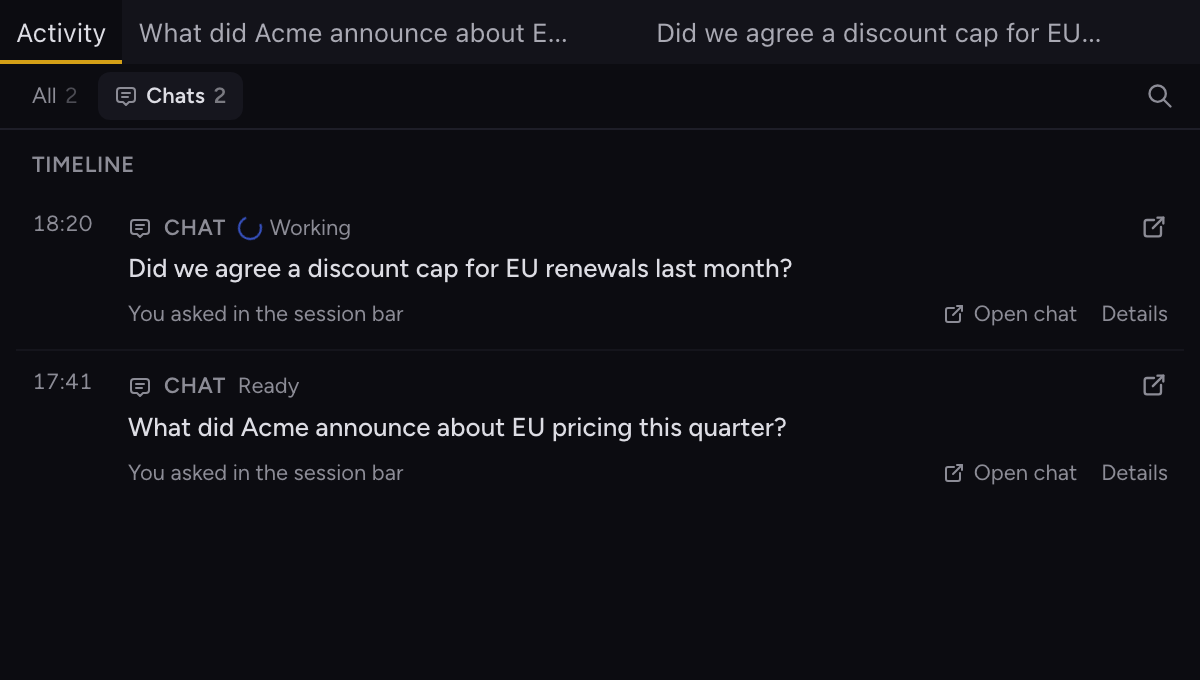
You can ask a second question before the first one finishes. Each gets its own tab, and the session's Activity panel lists your questions under Chats.
5. Check the sources, then follow up#
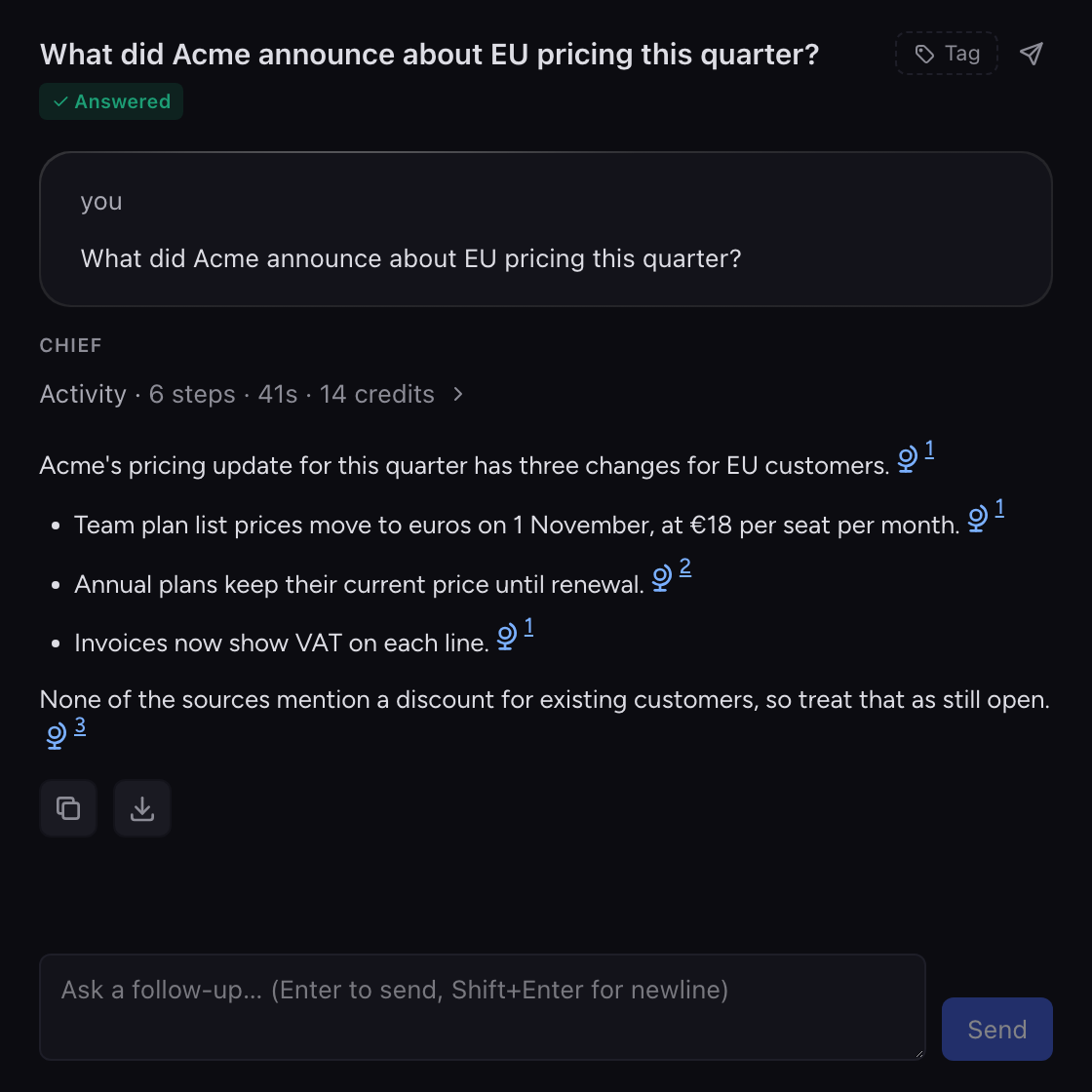
Chief is told to cite each source it uses, and the citations show in the answer. Check them. Chief's help center explains how citations work. Ask a follow-up in the same tab under "Ask a follow-up…", and Chief keeps the thread's context.
6. Find it after the call#
The chat stays with the session in its project. Reopen the session after the call to read it or ask a follow-up. In the web app, open the Activity tab on the session's page and look under Tasks.
Good questions to research during a meeting with AI#
- A number nobody has, such as a public company's announcement. Chief can search the web.
- "Didn't we decide this last month?" Chief can search past sessions and your project's knowledge.
- A doc, thread or issue someone mentions. On Go Pro or higher, Chief can read from a connected Google Drive, Notion, Slack, Linear or GitHub.
To research a question during a meeting with AI, ask while it's still in the room. The decisions the call makes are a separate job: see how to track decisions and action items from meetings. If the answer feeds code work, you can hand the finished meeting to Claude Code or Codex.
Limits#
- You ask during the call in the Chief desktop app for Mac or Windows. The web app shows the chats afterwards.
- Turn off "Let Chief suggest things during a call" to stop the answer cards. While it's on, Chief spends credits without anyone asking it anything.
- Chief can only use what its searches reach. A page behind a login, or a tool you haven't connected, isn't in the answer.
- Each question spends credits, and web searches add to it.
- A question you type or say goes on the session, where people in the project can read it.
- Chief has no CRM integration of its own. HubSpot is reachable only through MCP, if your admin adds it.
- Guests who joined through a collaborator link can't type a question or highlight a line. If one says "Chief," aloud, the host's device can still hear it and open a chat.
- Reading from connected tools needs Go Pro or higher. Web search and project knowledge don't.