Live Session app v1.1.60: Ask Companion about your screen from any app
Companion lets you ask Chief about anything on your screen from any app, by screenshot, voice or quick bar, with each question saved as a private task listed under Companion in the sidebar. This build also lets you reopen a document Chief stopped saving and keep editing, takes "Add to the board" offers off the notch, keeps a spoken ask to Chief whole at the start of a call, and stops a Live Session ask from running a shell command on your computer.
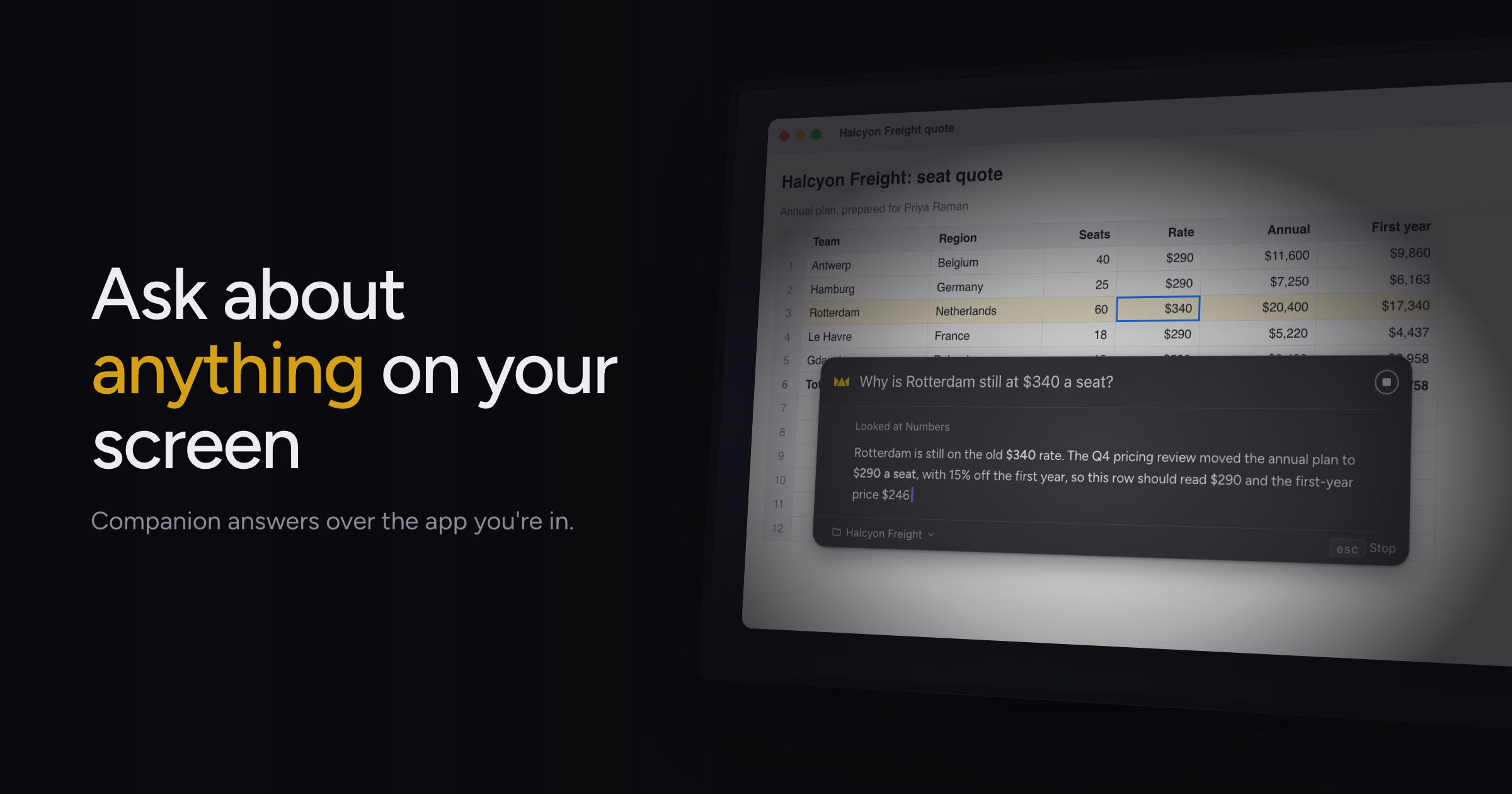
Chief helped during meetings, but a question about the spreadsheet, error or email in front of you between calls meant copying it somewhere else and explaining it from scratch.
Today, we're adding Companion, along with fixes for documents that stopped saving, notch offers, spoken asks and agent permissions.
Companion for your screen
Ask Chief about anything on your screen from any app, with a screenshot, by voice or from the quick bar, and no meeting running. Click Companion in the sidebar, or Ask Companion, to open the quick bar in the project you have on screen.
Each question becomes a task listed under Companion in the sidebar, most recent activity first. Your meeting chats stay under their own sessions, so the list holds only what you asked Companion.
On the web, the Live Sessions page gains a Companion view beside Meetings and Tags, where the same chats appear marked private. Rename does not appear in the menu for a Companion.
Companion chats are private: only you can read or write them. A capture stays on your Mac until you send it, and lands in your screenshots folder only when you click Save.
Fixes
- A document Chief stopped saving told you to reopen it, but reopening showed the same stopped editor and dropped what you typed until you switched sessions or restarted. Leave the document and open it again, and it loads the saved copy so you can keep editing.
- The notch interrupted calls with "Add to the board" offers. The notch now shows only offers that land somewhere concrete, such as Linear, a chat or Slack, and board offers stay in the Activity panel.
- An ask spoken to Chief early in a Live Session could get cut off after its first few words. Chief now hears the whole question.
- A Live Session ask could get a shell command run on your computer by describing it as a Chief read. Chief now refuses those commands.
Update to 1.1.60 and click Companion in the sidebar to send your first question. Chief on web, desktop & browser extension covers where the desktop app fits.