Live Session app v1.1.59: Copy, download or send a Live Session while it records
A new Take a copy menu in the header lets you copy, download or send a running Live Session to an AI agent from any tab without stopping, and downloaded and sent sessions now carry their screenshots inline plus a Full Payload document, with Pause in the Summary tab. Links now open in your browser, accepted offers show their finished receipt on every device, and Tag it is back in the transcript selection bubble.
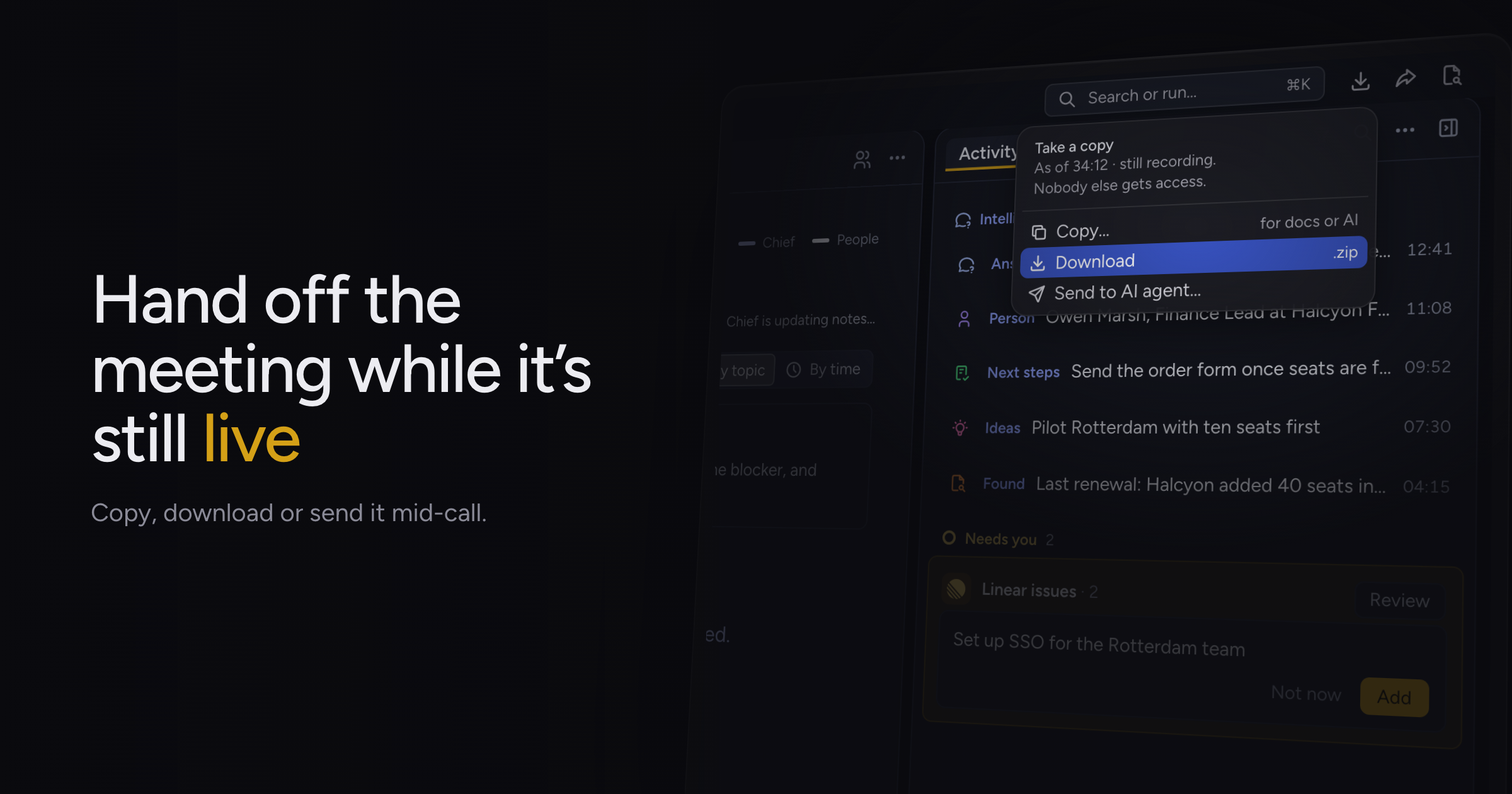
Handing someone a Live Session while the meeting was still running meant going to the Summary tab for Copy and Download, and finding Send to AI agent somewhere else. Downloads also arrived without the screenshots you captured.
Today, we're adding Take a copy, along with screenshots and a Full Payload document in downloaded and sent sessions, and fixes for links, offer receipts and tagging transcript passages.
Take a copy menu
A download button in the session header opens the Take a copy menu, with Copy…, Download and Send to AI agent… in one place. It works on any tab, during recording or after, and recording keeps going.
While the session records, the menu shows how far the copy reaches, for example "As of 34:12 · still recording", or "paused". A download taken mid-recording gets that time in its file name, such as "(as of 34-12)", so you can tell it from the final copy. The Copy dialog tells you it holds the first part of the session and to copy again later for the rest.
Taking a copy gives nobody else access. Sending a Live Session to an AI agent covers the send options.
Screenshots in downloaded sessions
Downloaded and sent Live Sessions now include their screenshots, and the transcript shows each image at its place in the conversation. They also carry a Full Payload document holding the same text Copy produces.
Images point at the files in the download, so nothing becomes a public link. If Chief could not fetch an image, the transcript marks it as missing in its place.
Participant emails, the session link and the brief appear in the Full Payload only when you send everything. A send of part of the session still carries its title, recorded time, duration and status. A send of a tag view leaves the Full Payload out.
During a Live Session, Pause and Resume now also appear in the Summary tab's action row.
Chief fetches images before the save dialog opens, so a session with many images takes longer to download. The "This sends" box lists Full Payload even when the file ends up left out.
Fixes
- Clicking a link in a source preview replaced the Chief window with that web page, and links in agent answers and most chat cards did nothing. Links now open in your browser.
- Links in Notes and documents opened twice, and links with parentheses, like Wikipedia's, did not open. Each now opens once in your browser.
- After someone accepted one of Chief's offers, only the device that did the work showed the finished receipt. Every device in the session now shows the filed item and its link.
- Tag it was missing from the transcript selection bubble, so you could not mark a highlighted passage as a To-do. It is back: picking a tag switches the bubble to Note, saving with nothing typed keeps the passage as the note, and the note shows under To-dos with the time of the line you selected.
Update to 1.1.59 and open the download button in the header during your next call. Copying, downloading & sharing transcripts covers what each format holds.