Live Session app v1.1.56: Have Chief prep you for a meeting before it starts
Chief now prepares Meeting and Person cards before a call, from your calendar or from a call you enter on Home, with an About you note in Settings; intelligence cards show their kind with a colored icon and an Activity legend you can filter; answer cards open in chat with their sources; and Chief recognizes the voices of people from outside your organization who are on the call.
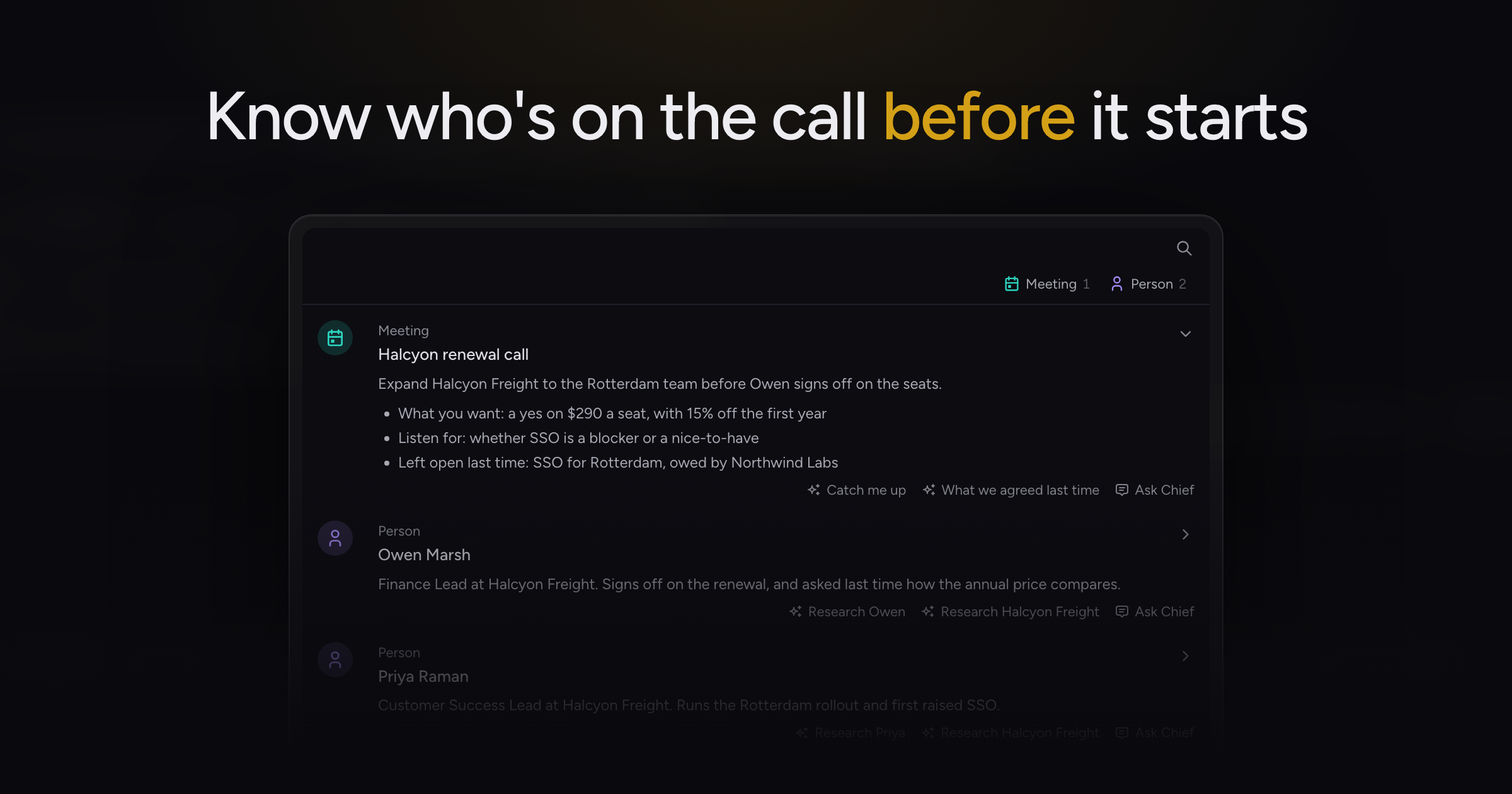
Walking into a call meant digging up who was on it and what was left open last time yourself, and every card Chief showed during the call looked the same until you read it.
Today, we're adding pre-meeting prep, along with cards you can tell apart by their kind, answer cards you can open in chat, and recognition of voices from outside your organization.
Prep before a meeting
Chief looks at who is on an upcoming call and what it is for, then writes a Meeting card and a Person card for each outside attendee it can find information on. The Meeting card covers what the call is for, what you want out of it, what to listen for and what was left open last time. The cards appear in Activity before the call, and Chief uses the same context during the call, so it knows who is there and how to spell their names.
While the app runs, Chief prepares calendar meetings starting within 24 hours on its own, and the upcoming meeting shows Prepared with the first person's name and role. On an upcoming meeting, click Prep this call to start it yourself; once it reads Prepared, click it again to add what the call is for and run it again.
For a call that is not on your calendar, click Prep a call on Home. Give it a name, a date and time, who is on it (paste a list of emails or add them one at a time) and what it is for. The call lands on your agenda with its prep under way.
Settings has a new About you note that the prep reads. Recurring meetings reuse the Person cards from the last occurrence and research only new people.
Chief does not research your teammates: anyone on your email domain, your workspace domain, or a registered user in your organization. A call can list up to 25 people.
Cards by kind
Each intelligence card carries its kind as a colored icon in a circle on the left: Answer, Found, For context, Next steps, Ideas, Person and Meeting. The same icon shows on the floating card, in the transcript and on the notch, so you can tell cards apart before you read them. Titles are short, and a card keeps the title it first showed with unless a check corrects it.
The Activity tab has a legend listing the kinds in the session with a count for each, and clicking a kind hides it. Cards also offer follow-up buttons beside Ask Chief: a Person card offers Research with the person's name, and their company's when Chief knows it; a Meeting card offers Catch me up and What we agreed last time; Next steps offers Draft the follow-up email; Ideas offers Go deeper. A second click reopens the same chat.
Answer cards in chat
An answer card now has an Open in chat button on the notch and the floating card. It opens a new chat that starts with the card's title, text, added lines and sources as links, so you can keep going from the answer. Chief sends nothing and uses no credits until you type, and clicking Open in chat again returns to the same chat.
The card's message exists only on this device, so a reopened or archived chat starts at your first question. A chat you open and never type in stays in your chat list. An answer card with a single linked source no longer offers a one-click link to it, including links like Open in Notion; the link is in the chat.
Fixes
- Chief treated someone from outside your organization as an unknown voice on the call, however often their own organization had heard them. Chief now loads the voices of the people on the call when the session starts and labels them by the name the call knows them by.
Update to 1.1.56 and click Prep this call on your next meeting. Using the Live Sessions App covers the rest of a session.