Live Session app v1.1.55: Spotlight an Activity card for everyone on the call
Pick Spotlight for everyone in an Activity card's menu to highlight that card on every device in the live session; long Activity items now expand in place with Show more; a gear beside your account opens Settings in one click; and questions asked just before you pause now still get their cards.
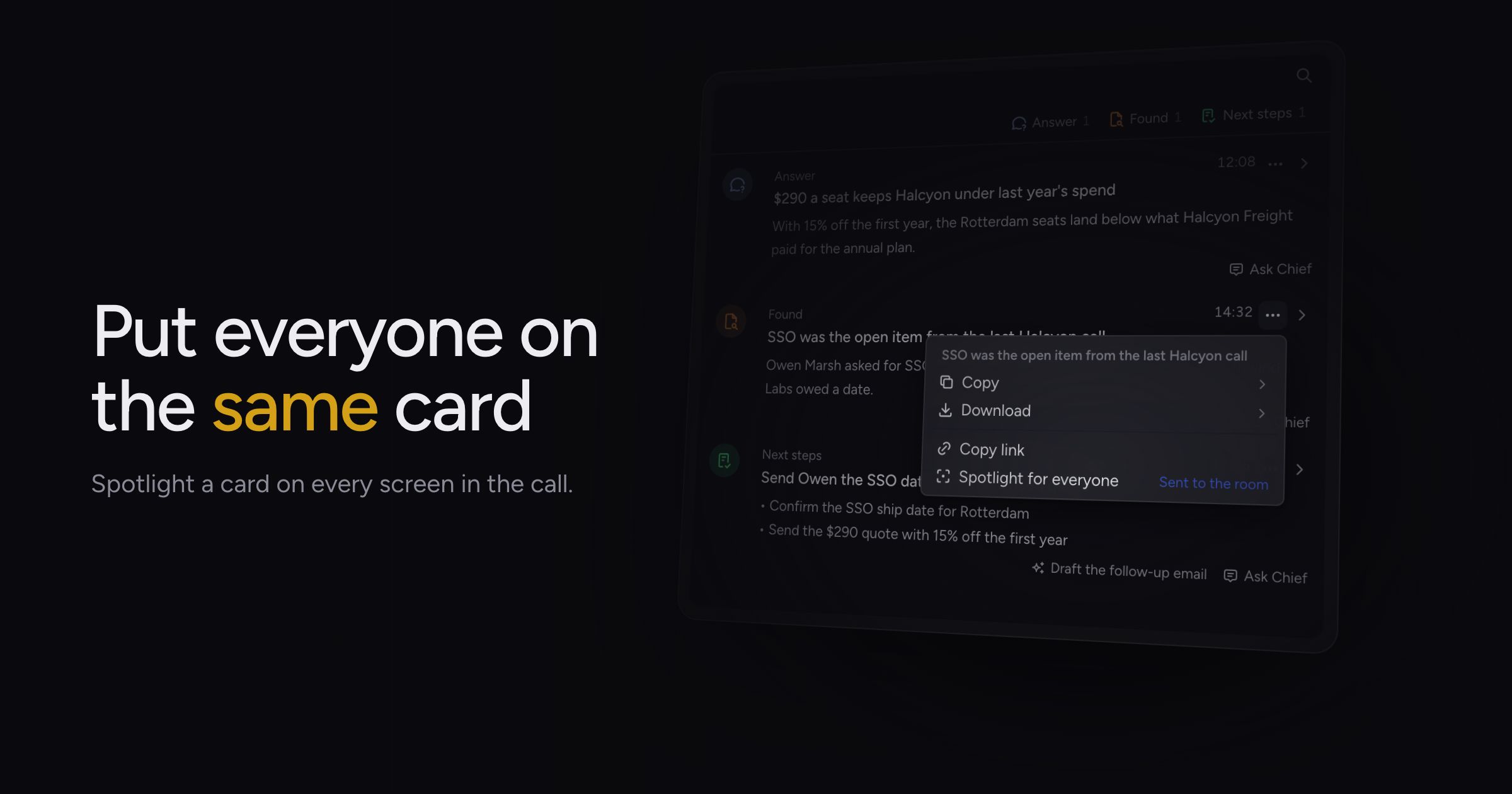
During a live session, the group often talks about one card in Activity, and each person had to hunt for it alone or wait for someone to paste a link.
Today, we're adding Spotlight for everyone, along with in-place reading of long Activity items, a Settings gear beside your account, and a fix for cards lost when you paused.
Spotlight for everyone
Open a card's menu in Activity and choose Spotlight for everyone. Chief opens the Activity panel on every device in the session and highlights that card, and your menu confirms the send. If Chief cannot reach the other devices in the session, the menu shows an error instead.
The option appears only while you are in a running session and not joined as a guest. Chat rows and questions that already have an answer do not offer it.
A spotlight you receive opens the Activity panel and clears your filters and any open detail. People who join after a spotlight do not see it, and a device whose clock is far off can miss one. Sharing and joining a Live Session covers linking to a single Activity item.
Expandable long Activity items
An Activity item whose title is cut off now shows a Show more button on its row. Click it to read the whole title in place, and Show less to fold it back. Short rows show no button.
Offer rows open with a click as before, and an open offer now shows its full title, with its details wrapping underneath.
Settings gear
A gear now sits next to your account at the bottom of the sidebar, and one click opens Settings. In the collapsed sidebar, the gear stacks above your avatar. On Windows, which has no app menu, this is the quickest way in.
Fixes
- Pausing a live session a few seconds after someone asked a question used to drop the card Chief was preparing, or take back the "looking into it" card it had already shown. Chief now finishes the cards for anything said before the pause, whether you paused or Chief paused because the call looked over. Running out of credits or another device taking over the session still stops that work.
Update to 1.1.55 and open a card's menu in Activity during your next live session. Reading the activity feed covers what Activity shows.