Live Session app v1.1.43: Share one section of a live session
Share only the transcript, notes, decisions or to-dos from a panel's ⋯ menu; Chief speaks up more mid-call with a reworked Activity tab; an update prompt greets you after time away; new invite links start as Collaborator; refill opens the upgrade page. Fixes cover narrow windows, reopened links, the tag filter, untimed transcripts and missing ⋯ menus.
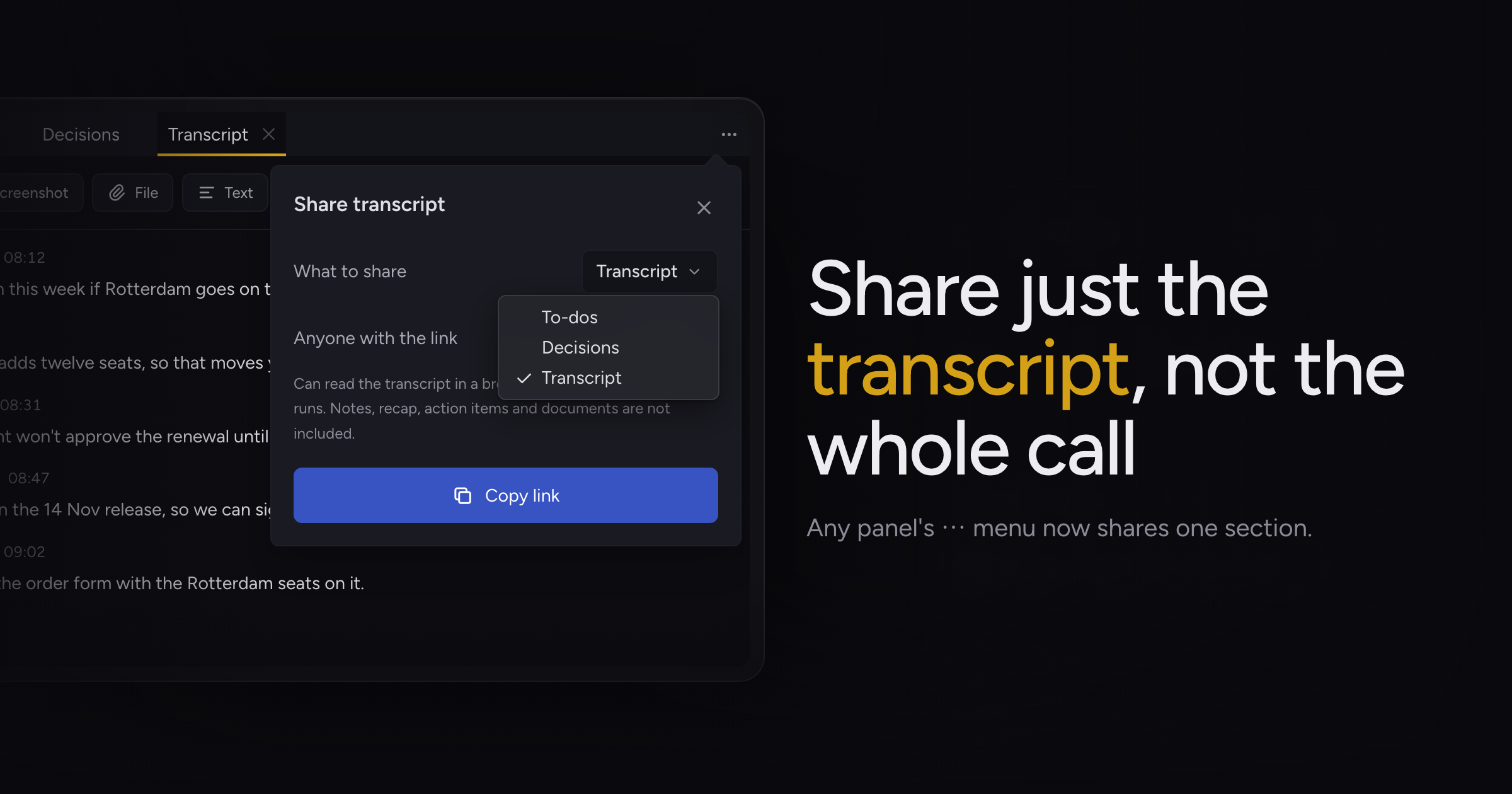
Sharing a live session meant handing over all of it, even when you only wanted a client to see the to-dos or a colleague to read the transcript.
Today, we're adding section share links, along with a more proactive Chief during calls and a reworked Activity tab, an update prompt when you come back to an outdated Chief, Collaborator as the starting role for new invite links, and a refill link that opens the new upgrade page.
Section share links
Each panel's ⋯ menu now has Share…. The popover opens on the tab you shared from, and a What to share picker lets you switch between that panel's tabs: Transcript, To-dos, Decisions, or everything in the Workspace panel.
The popover says what the link includes and what it leaves out. Whoever opens it reads that section in a browser, updating while the session runs. The Share button in the top bar still shares the whole session.
A section link is Reader only, and it opens on the web rather than in Chief. Sharing and joining a Live Session covers both kinds of link.
A more proactive Chief
Chief offers ideas during a call, shown in the Activity tab, the notch and the transcript. A direct ask gets its offer faster, and a line that addresses Chief by name gets a response; if the data lives in a system Chief can't reach, it tells you so on a card. Offers show "Chief is reading this…" while it looks, and empty results fade away.
The Activity tab now has two parts. Follow-ups lists offers and permission requests as one-line rows you can accept, edit or set aside with Not now. The Timeline below lists everything else newest first, labeled by kind, with cards and findings that expand in place and sources shown as links.
A live session also uses fewer credits per hour.
Update prompt after time away
Chief keeps running when you close its window, so an update can sit unused for days. Come back after a long time away with a new version downloaded, and Chief asks in a centered dialog whether to restart and install it now or later. The prompt stays closed while you record, and Chief hides the Update ready card in the corner while the dialog shows.
Collaborator invite links
A new invite link for a live session starts with the Collaborator role. An existing Reader link keeps its role, and a link you turn off and replace keeps the role the old one had.
Refill from the upgrade page
The link to refill credits now opens the new upgrade page on the web. Refilling credits covers the options.
Fixes
- In a small window, parts of the main screen overlapped and the floating session bar could run off screen, cutting off Stop. The sidebar now collapses to its icon rail in narrow windows and returns when you widen it, the session bar fits beside it, and Live Notes gets more room.
- Opening a live session link again for a call you had already joined cleared part of the transcript, notes and activity. Chief now keeps them, and brings you back to the live call if you were reading a past session.
- The tag you filtered your notes by could slip into the "+N" overflow, leaving no way to see or clear the filter. While a filter is on, the tag strip shows only the selected tags, with the rest in "+N" beside them.
- Old sessions with no timing could collapse their transcript into one block. Each line now stays its own block.
- The ⋯ menu on panels could be missing when a session first loaded. It now shows.
Update to this build and open a panel's ⋯ menu to share one part of your next call. Sharing and joining a Live Session has the details.