Live Session app v1.1.40: Ask Chief for a short video, or an image using your logo
Chief can generate short videos in chat and use images from the chat, such as an uploaded logo, as references when it generates an image. The sidebar now shows the project of a live session you join as a guest, with who to ask to add you, and the project picker opens directly under its button.
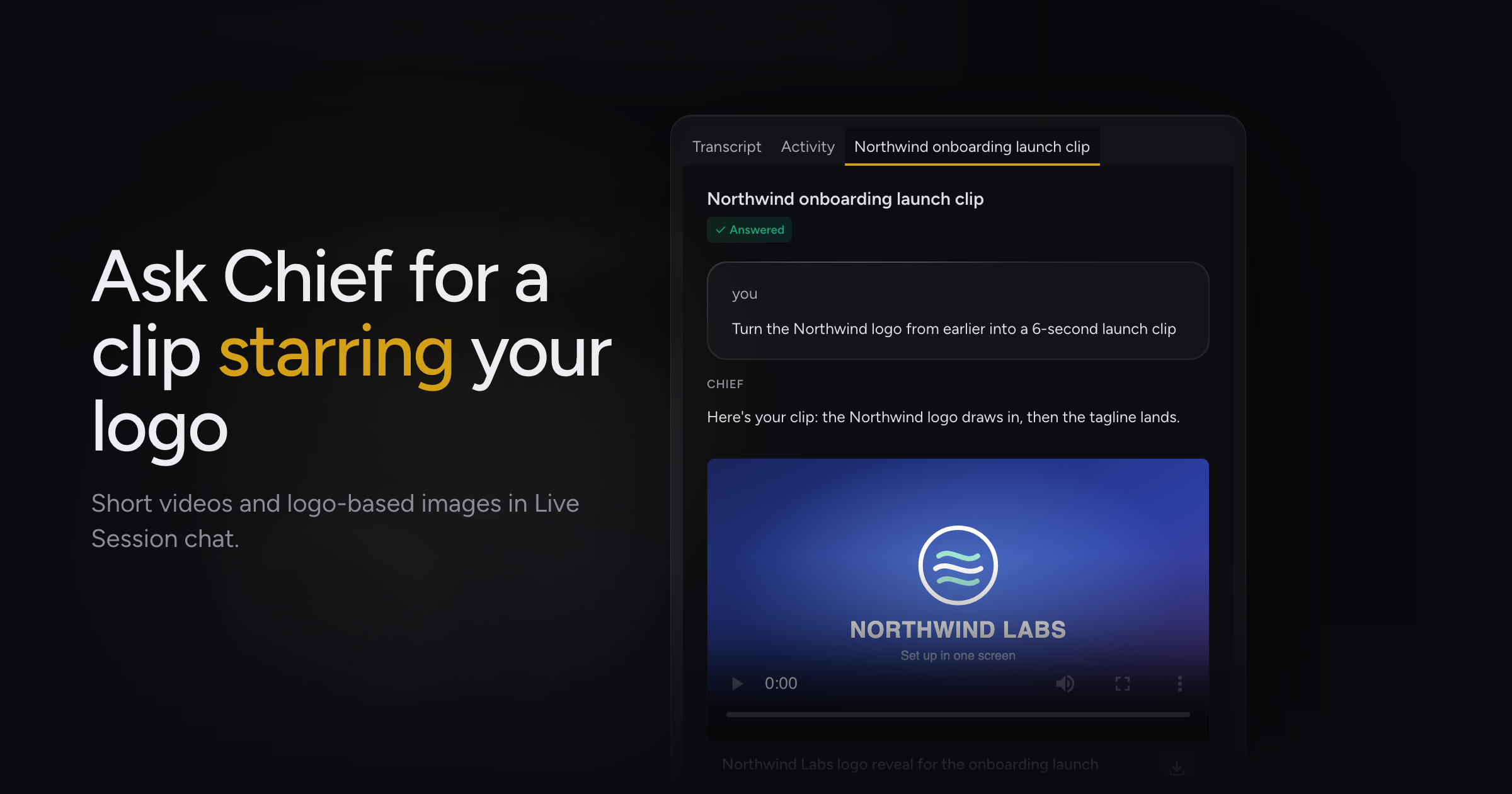
Asking Chief for an ad built around your logo meant describing the logo in words, and a moving clip was out of reach.
Today, we're adding video generation and reference images, along with a fix for joining a session as a guest and the project picker's position.
Short videos and reference images
Ask Chief for a short video in a chat and it shows a card with Generating video... while the clip renders, then plays it in the chat. Open the video in the side view to watch it full size.
Image generation can now use images already in the chat as references, including files you uploaded and images Chief generated earlier. Attach a logo and ask for an ad, and Chief builds the image or clip around it.
A video that takes longer than the reply still lands in the chat. Until it does, the card reads "Still rendering. Reopen the chat later to watch it.", and a render that fails shows "Video generation failed".
Generating images covers image prompts.
Fixes
- Joining a live session through a Collaborate link, in a project you are not a member of, showed your own project in the sidebar with no explanation. The sidebar now names the session's project with a Guest pill and tells you who to ask to add you, and the project picker lists it under This session above Your projects.
- The project picker opened with a gap below its button. It now opens directly under it, with a search field at the top.
Update to 1.1.40 and ask Chief for a clip in your next chat.