Live Session app v1.1.39: Speaker Identification comes to Chief
Chief now recognizes the people on your calls by voice, so transcripts show real names instead of Speaker 3, and once you name someone, every call after that knows them too. Research shows you what each agent is up to and answers you mid-task, a denied Mac permission is a quick drag to fix, and your transcript stops putting the other side's echo in your mouth.
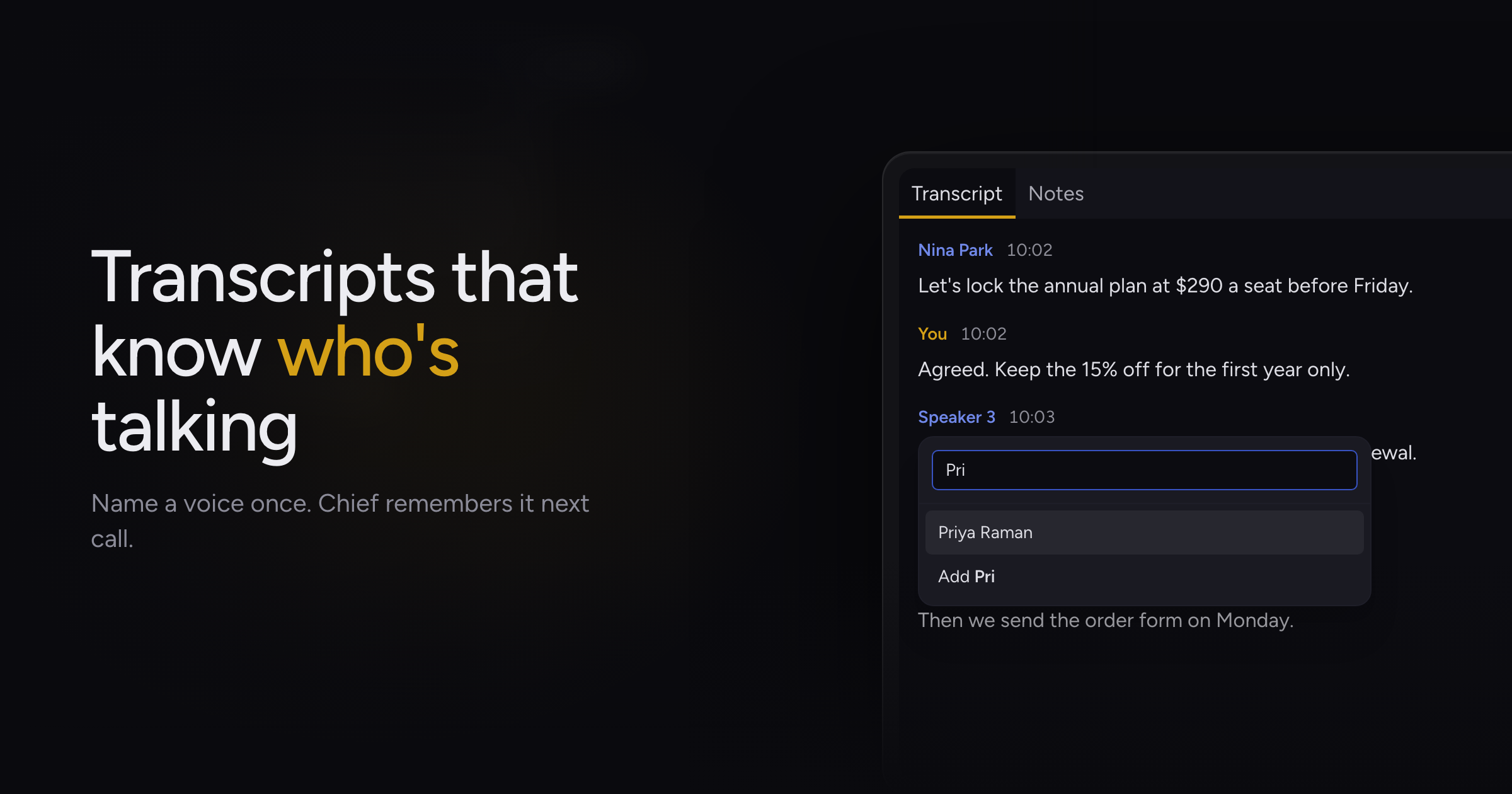
Reading back a meeting full of "Speaker 2" and "Speaker 3" means doing detective work to figure out who said what. And next week, you'd do it all over again.
Today, we're adding speaker identification: Chief learns the voices of the people you meet with and puts their names on the transcript. This build also lets you watch research agents work, makes denied Mac permissions easy to fix, and cleans echo out of your transcript.
Names on every line
Chief listens for the different voices on a call and labels each line with the person who said it. Sometimes it takes a few sentences to be sure, and when it gets there, it goes back and fixes the earlier lines too.
If Chief doesn't know someone yet, click their label in the transcript and pick them from the list or type their name. Every line they spoke updates at once. From then on, Chief recognizes them on your next call, and on calls your teammates host, because Chief remembers voices across your organization.
Watch research agents work
Run a Deep Intelligence task and you can see what each agent is doing as it goes: searching the web, reading a page, writing up what it found, or waiting on the others. Click any agent to open it.
You can also keep talking while Chief works. Send a message mid-task and Chief replies without stopping the research, and it'll tell you what a finished agent turned up along the way.
Research now paces itself to finish on time. An agent that runs short on time hands back what it has, marked Partial, instead of coming back empty. And for a simple question, Chief answers it directly instead of sending agents after it.
Fix denied Mac permissions
Say no to a macOS permission once and macOS never asks again, which used to leave you digging through System Settings. Ask Chief for System Audio, Accessibility or Screen Recording after turning it down, and it opens the right page in System Settings and shows you a chip to drag onto the list. Drag it, confirm with Touch ID, and you're set.
System Audio and Screen Recording only take effect after Chief restarts. If you chose Later when macOS offered to reopen Chief, the Permissions screen shows a Restart Chief button so you're not left wondering why nothing changed. Chief won't restart in the middle of a live session, so end the call first.
Echo out of transcripts
Sometimes the other side's audio leaked back into your microphone, and the transcript showed you repeating what they'd said a moment earlier. Chief now filters out that echo, so each line stays with the person who said it.
Fixes
- Presentations exported to PDF no longer come out with blank slides.
- The "New messages" pill no longer shows up when there's nothing new.
Update to 1.1.39, and after your next call, click a speaker's name to introduce Chief to the people you meet with. How transcription works & speaker attribution has the details.