Live Session app v1.1.36: Work in a new layout with templates and a macOS notch
A refreshed layout with an icon rail, project-scoped sessions, workspace templates and a macOS notch; realtime answers from Chief; copy and download for every section; editable offers; live summaries for iPhone sessions; low-credit warnings, inline citations and launch at login on Windows. Fixes bring faster chat, a one-row Live Notes tag strip, clearer panel names and a clickable canvas Chief button.
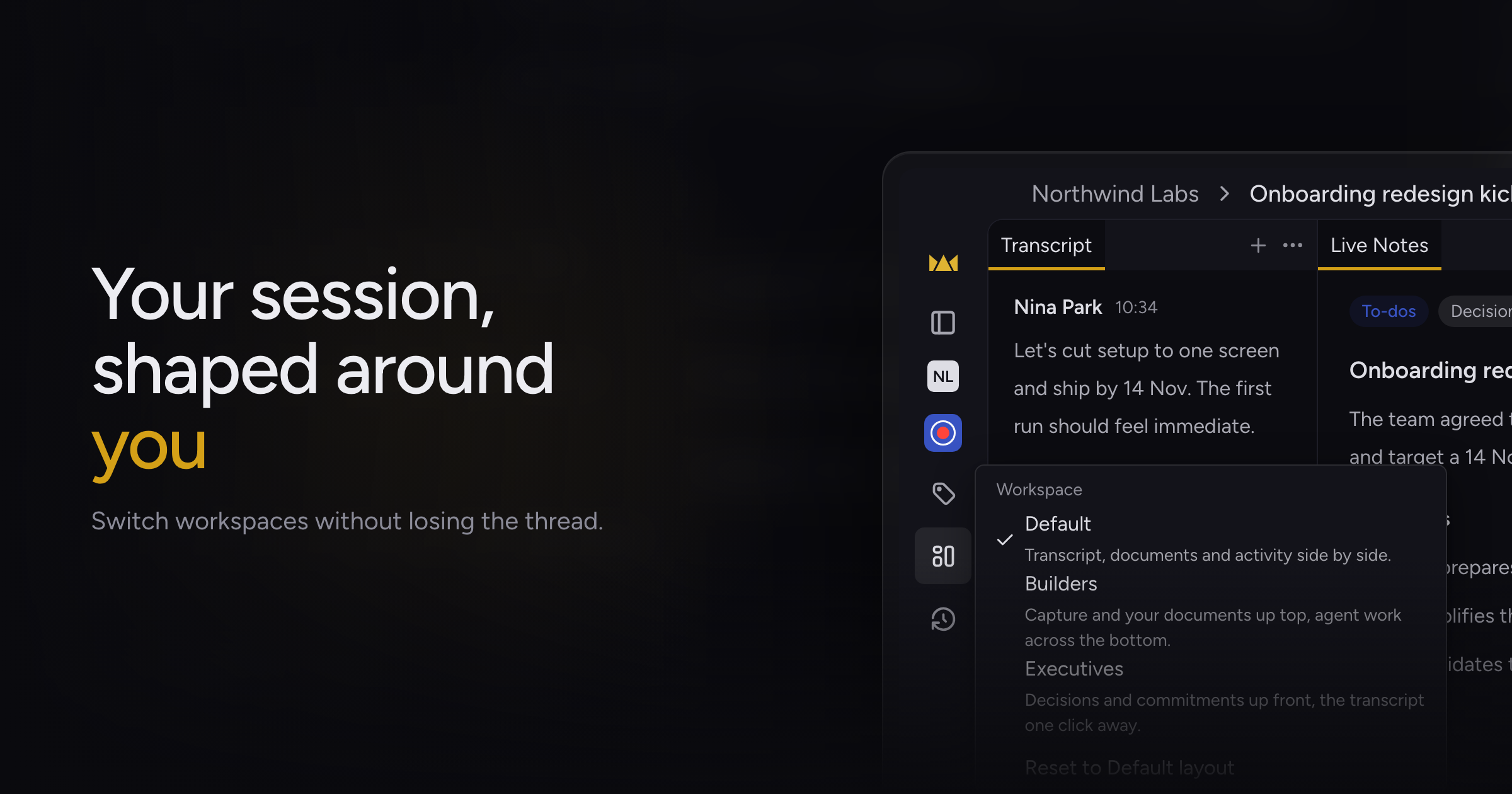
During a call, Chief's controls were spread across a top bar and a bottom bar, your session list mixed every project, and on macOS Chief's prompts lived in a popover you had to find.
Today, we're shipping a refreshed layout with workspace templates and a macOS notch, along with realtime answers from Chief, copy and download for every part of a session, editable offers, live summaries for iPhone-hosted sessions, low-credit warnings, inline citations, and launch at login on Windows.
Workspace templates and notch
One compact toolbar holds the project and session title, the session details, and Find and Tags. On the left, an icon rail holds Home, the project picker, New live session and Tags, and opens into the full sidebar.
Toggle the sidebar with ⌃⌘S; the tooltip on the toggle shows the shortcut. The rail's project button shows the picked project's initials.
Pick a project in the sidebar to see only its sessions, or pick All projects to see everything. You can now manage tags without a live session running.
Chief hides the Tags button under All projects, because tags belong to one project.
In a session, the Templates menu offers Default, Builders and Executives, each with a one-line description, plus Reset to Default layout. Executives puts documents and the new Decisions panel up front with a To-dos panel beside Activity, Transcript and People. Builders puts the transcript and documents on top with Activity, Asks and Chats across the bottom.
The "+" in each tab strip reopens panels you closed. Credits used now sit in the session's actions menu.
On macOS, Chief lives in a notch at the top of your screen during a session, or in a floating bar if you prefer. The notch asks whether to take notes when a meeting starts and lets you pick the project on the card.
The notch shows Chief's offers with the reason, and its menu has Turn off suggestions, which turns off the same setting in Settings and clears waiting offers. After you speak to Chief, "Heard you…" clears once the answer arrives.
Realtime answers from Chief
Chief can post answers in the Activity panel while the call runs, under a new Answers filter. Each answer shows its sources, a link that jumps to the moment in the transcript, and whether Chief is checking, confirmed or corrected it. Click Ask Chief about this to follow up in a chat.
Export from any section
Each section of a Live Session has a ⋯ menu: Transcript, Live Notes, an open document, Activity and chats. Copy as Markdown or Plain Text, or download as Markdown, Plain Text or Word. Each chat answer has its own Copy and Download buttons.
The Activity export lists what the panel shows, oldest first. Plain-text copies keep link addresses, list numbering and paragraph breaks. Live Notes gets a tag button beside Surfaces.
Share moved to the top bar next to Find, because it shares the whole session. The section menus no longer carry Share.
Editable offers
Open the chevron on an offer's action button and pick Edit before sending… to change the instruction for Chief and where the work goes. One click on the button still sends Chief's wording.
The offer card and the meeting's to-do keep Chief's original text. Not now moved to an ✕ in the card header.
Live summaries from iPhone
Sessions hosted from the iPhone app now get a live summary, and Chief saves it when the session ends, so you see to-dos, decisions and context on desktop too.
Auto-apply Tags do not run on iPhone-hosted sessions, and edits participants queue for the host do not apply there yet.
Low-credit warnings
If your credits are low when you start recording, a dialog lets you start anyway, refill or cancel. If they run low partway through, a banner offers Refill credits or dismiss, and the session keeps recording.
Answers that use Chief's agents now keep inline citations that link each claim to its source, and the long Sources list at the end of answers is gone. Only web, knowledge-base and chat searches get inline citations; other sources appear named and linked in the text.
On Windows, the launch at login toggle in Settings now works. If you turn Chief off in Task Manager's Startup apps, the toggle shows off.
Fixes
- Long chats were slow to open, could show garbled words while streaming, and left Stop Generating on screen after a dropped connection. Chats open faster, stream smoothly, and recover on their own mid-answer.
- The tag row at the top of Live Notes wrapped and jumped when you clicked a tag, and covered Clear in a narrow panel. It stays on one row, extra tags collapse into "+N", and the To-dos tag comes first.
- The Live Summary panel is now called Live Notes, the Documents tab is now Workspace, and the Browse control is now Surfaces.
- The Chief button on the canvas tool rail looked like a logo. It now shows a sparkles icon on a colored background.
Update to 1.1.36, open the Templates menu in your next session and pick the layout that fits. Using the Live Sessions App covers the rest of a session.