Capture spoken notes and screenshots with Companion's Quick capture
Companion gathers what you say, type and screenshot into one capture you can paste into your coding agent or share by link, and the mobile apps keep recording when you go back. Long live Notes and chief.bot pages respond faster, and fixes cover charts, the credit top-up minimum, new lines in Notes, and mobile recording and session lists.
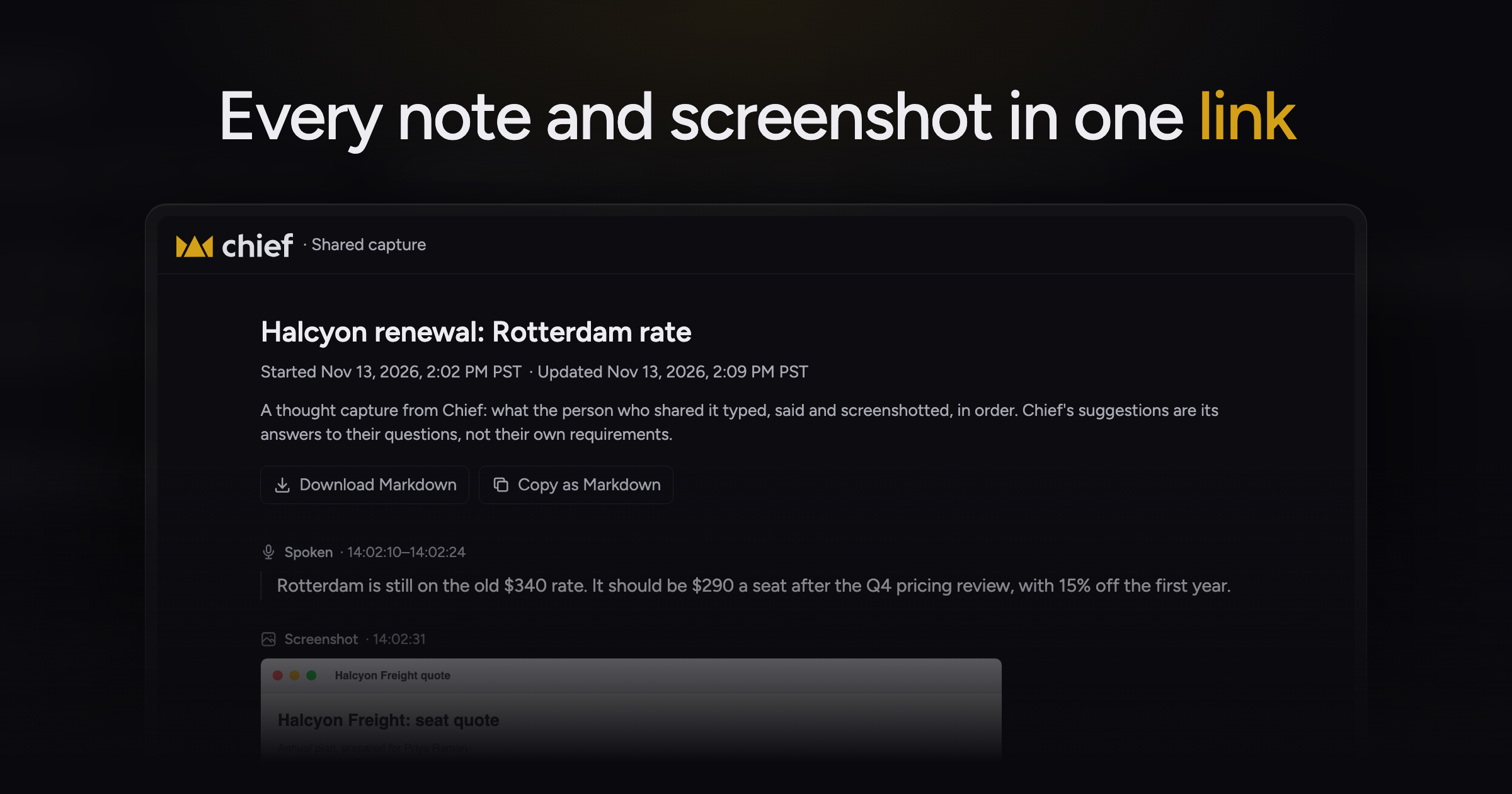
Reviewing an hour of your agent's work left you with a pile of notes, screenshots in another folder, and no clean way to hand them back in order.
Today, we're adding Quick capture in Companion, along with recording that survives going back on the mobile apps, faster typing in long live Notes, and faster chief.bot pages.
Quick capture in Companion
Hold the talk key and say what's wrong while you look at it, or double tap it to keep talking hands free. Press the screenshot key to grab an area or the full screen. Everything lands in one capture, in the order you made it, with Chief's suggestions labeled apart from your own words.
The paste key drops everything since your last paste into the app you're in, so Claude Code, Cursor or Codex gets each new note with its picture. Open a capture to rename it, preview its screenshots, use Copy as Markdown, or delete it.
Chief saves captures on your computer, and they stay private until you copy, paste, send or share them. Chief transcribes spoken notes in the cloud as you talk. Quick capture runs in the desktop app on Mac and Windows.
Secret links for captures
Turn a capture into a Secret link for Slack, a Linear ticket or an agent's prompt. Anyone with the link opens a Shared capture page in the browser that lists each typed, spoken and screenshot entry, with Copy as Markdown and Download Markdown buttons. Update the link after you add more, or stop sharing it.
Stopping a link turns it off for everyone who has it. Deleting a capture stops its link too, and you cannot undo the deletion.
Ways to use Quick capture
- Your agent shipped a batch of screens: talk through each problem and screenshot it as you go.
- Your agent needs your latest feedback: press the paste key to hand over only the new notes.
- A teammate wants to see the review: share the capture's secret link in Slack or a ticket.
Companion on chief.bot
The Features page, the home page and For builders now show Companion, with a Quick capture demo video and a new At your desk entry in the menu.
Recording that survives Back
On iOS and Android, going back no longer stops a recording; only Stop ends it, and Stop now asks you to confirm. After Stop, a Session ended sheet lets you rename, share or open the session.
Watchers see who hosts and how many people are watching, summaries filter by your project's custom tags, and the apps recover from network drops and show their version. On Android, a running recording appears as a card on the lock screen and in the status bar with a timer and a tap to return.
The Stop button in the Android recording notification ends the session in one tap without asking.
Typing in long Notes
Typing in a session's Notes during a live call responds faster on long notes, and so do points Chief or others add while you type.
Lighter chief.bot pages
The home, pricing, features, blog, download and about pages on chief.bot download less code on your first visit and load faster.
Fixes
- A chart label or series name containing HTML or script text broke the chart page. It now shows as plain text on the chart.
- Chart labels, series names and titles in Chinese, Japanese or Korean failed well short of the stated length. Chief now accepts them up to the full length.
- Pressing Enter in Notes or a document and typing the first character showed an error and lost the text, including a line ending in a web address. The line now appears, links work, and everyone in the session sees it.
- The credit top-up field on the pricing page and in organization settings told non-English readers the minimum was $1. The error now states the $10 minimum in every language.
- Switching from Wi-Fi to mobile data during a phone recording left a gap in the transcript. The words from the switch now appear in order, and the app tells you if Chief could not transcribe some audio.
- Android labeled phone-recorded lines "You" and "Them", often wrongly. Lines now read Speaker 1, Speaker 2, and each person keeps their number after a reconnect.
- A live session older than your recent sessions was missing from the mobile History screen. History now lists it at the top.
- Live sessions hosted on the desktop app did not show on the phone's home, or dropped off after a quiet stretch. They now show as LIVE.
- On iPhone, a call or Siri during a background recording left the microphone off until you opened the app. Chief now takes the microphone back by itself.
- The mobile session list filled with upcoming calendar meetings that had no transcript. It now shows your past sessions, dated by when they ran.
Open Companion in the desktop app and hold the talk key on your next review, or see it on the chief.bot Features page.