Tick off items under any tag on the Summary and Tags page
Tick items under any checkable tag on the Summary and Tags page, including web to-dos once a Live Session ends; the Summary opens offers, tags and cards as rows, summaries run longer, By time keeps tags, and owners pick Slack thread visibility. Fixes cover follow-up answers, OpenRouter keys, Space on cards and session replays.
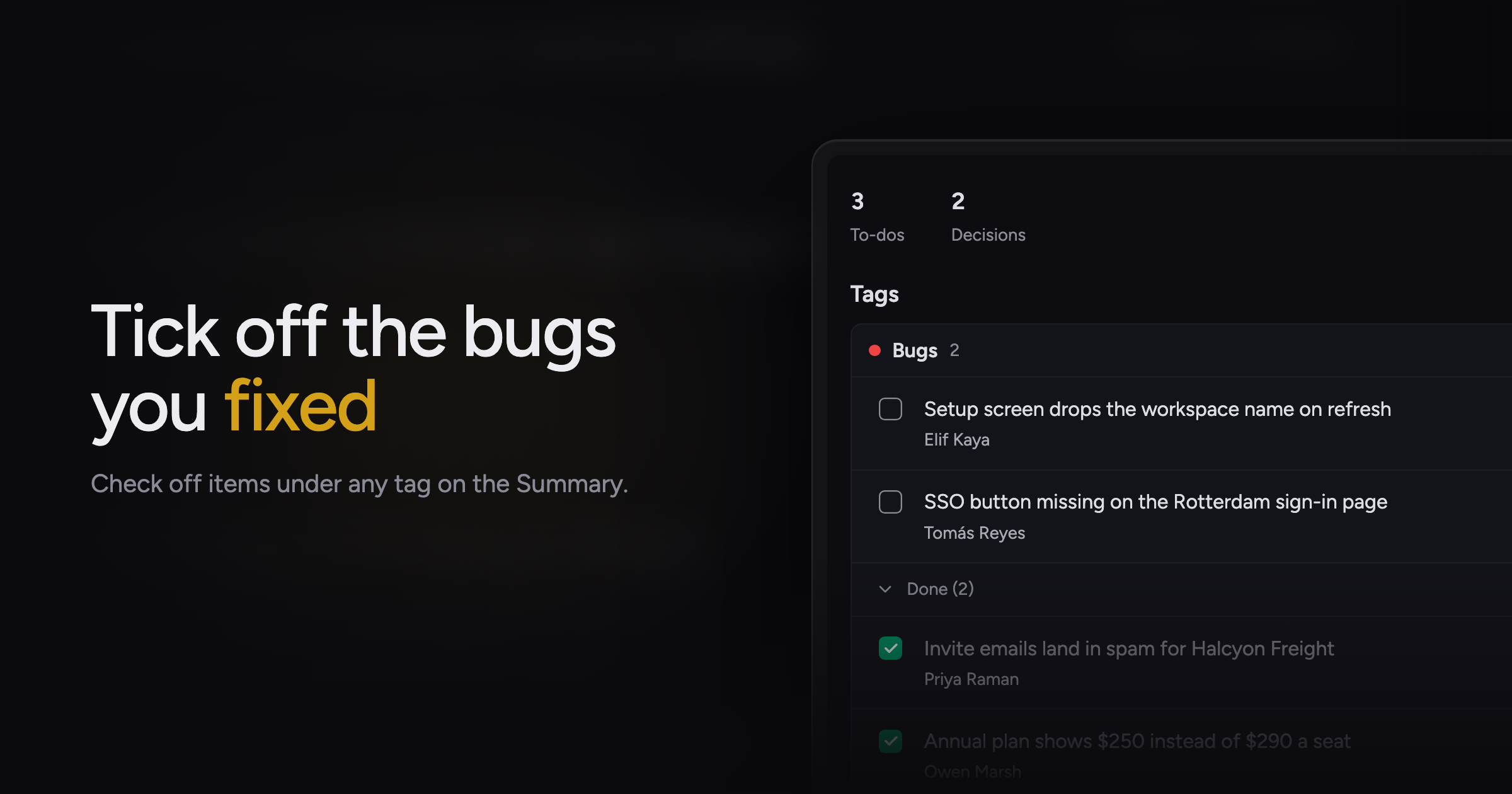
To-dos were the only items on a Live Session you could tick off, and on the web you could not tick even those. Items under other tags, like a bug that no longer matters, stayed open forever.
Today, we're adding Allow checking off for any tag, along with offer, tag and intelligence card rows on the Summary, fuller Live Session summaries, a By time order in Notes that keeps your tags, and Slack threads that let repliers in.
Checking off any tag
Turn on Allow checking off for a tag in the Chief app's tag editor, and each item under that tag gets a box on a Live Session's Summary and on the Tags page. Tick it and the item moves into a Done group under its tag, and the count beside the tag shows what is still open. To-dos has the setting on by default.
On the web Live Session page you can now tick to-dos and other checkable items once the Live Session ends, and your ticks show in the Chief app for everyone on the session. If a tick fails to save, the Summary says "Couldn't save that. Try again." and puts the box back.
You need edit access to the project to tick. A Reader sees the boxes but cannot tick them, and on the web the box appears only after the Live Session has ended.
Ways to use checkable tags
- Bugs already fixed after a call: turn on Allow checking off for your bug tag and tick them.
- Questions a customer keeps asking: open the tag on the Tags page and tick each one you answer.
- To-dos from a missed call: open the Summary after it ends and tick off what you finished.
Summary rows to open
The Live Session Summary now lists Offers, Tags and Intelligence cards as rows you open, with Open all and Close all to expand or fold them together. Each count on the Summary takes you to its row, and a tag row's menu lets you view that tag across Live Sessions.
On the Tags page, Back to the Live Session takes you to the one you came from, New tag opens the tag editor in the Chief app, and you can drag tags into a new order if you can edit tags.
Fuller Live Session summaries
The summary of a running Live Session now runs a few sentences, and once it ends you get one or two paragraphs written for someone who was not on the call. Copies and downloads keep the paragraphs.
Notes sorted by time
By time on the Notes tab now only reorders your notes, so tags, to-do boxes and lines without a time stay where you can see them. To add, join or move lines, switch back to By topic. The Chief/People color legend is gone, and the add button reads "Add To-dos" or "Add People and Orgs".
Slack thread replies reach Chief
Replying in a Slack thread where Chief is answering now adds you to the conversation, where Chief used to tell you that you didn't have access. Threads already stuck on that message recover on your next reply.
Project owners can choose Who can see Chief's conversations from this channel on a Slack channel's settings page: Everyone in the project, or Only people in the thread. Until an owner picks, a project with Google connected keeps conversations to the people in the thread, and other projects share them with everyone in the project.
The setting applies to new threads in public channels only. Private channels and threads started from the Ask Chief shortcut stay limited to the people in the thread. Anything Chief looked up, including from Gmail or Drive, is visible to whoever can see the conversation.
Fixes
- After a refresh, the collapsed activity hid an answer you sent a follow-up past. The answer now stays on screen above your follow-up, with its copy, download and save buttons.
- A mistyped or revoked OpenRouter key saved as working on the AI providers page, and Test reported it healthy. Chief now refuses the key when you save it, and Test reports it as rejected.
- Holding Space on a clickable card or toggle flipped it open and closed over and over. It now activates once, like a regular button.
- Session replays could capture a new API token, a Notion webhook token, a device pairing code and share links. These now stay masked.
Open a finished Live Session's Summary to tick off its items, or read Live Notes, decisions, to-dos & tasks.