Always allow a tool from its approval card in Chief
Approval cards for Notion, Gmail, Slack, calendar and other tools gain an Always allow button, and a new Tool permissions page in settings lists what Chief does without asking; the new Chief Android app captures and watches live sessions, and its invite links keep an existing Collaborator link and label each voice as Speaker 1, 2 and so on.
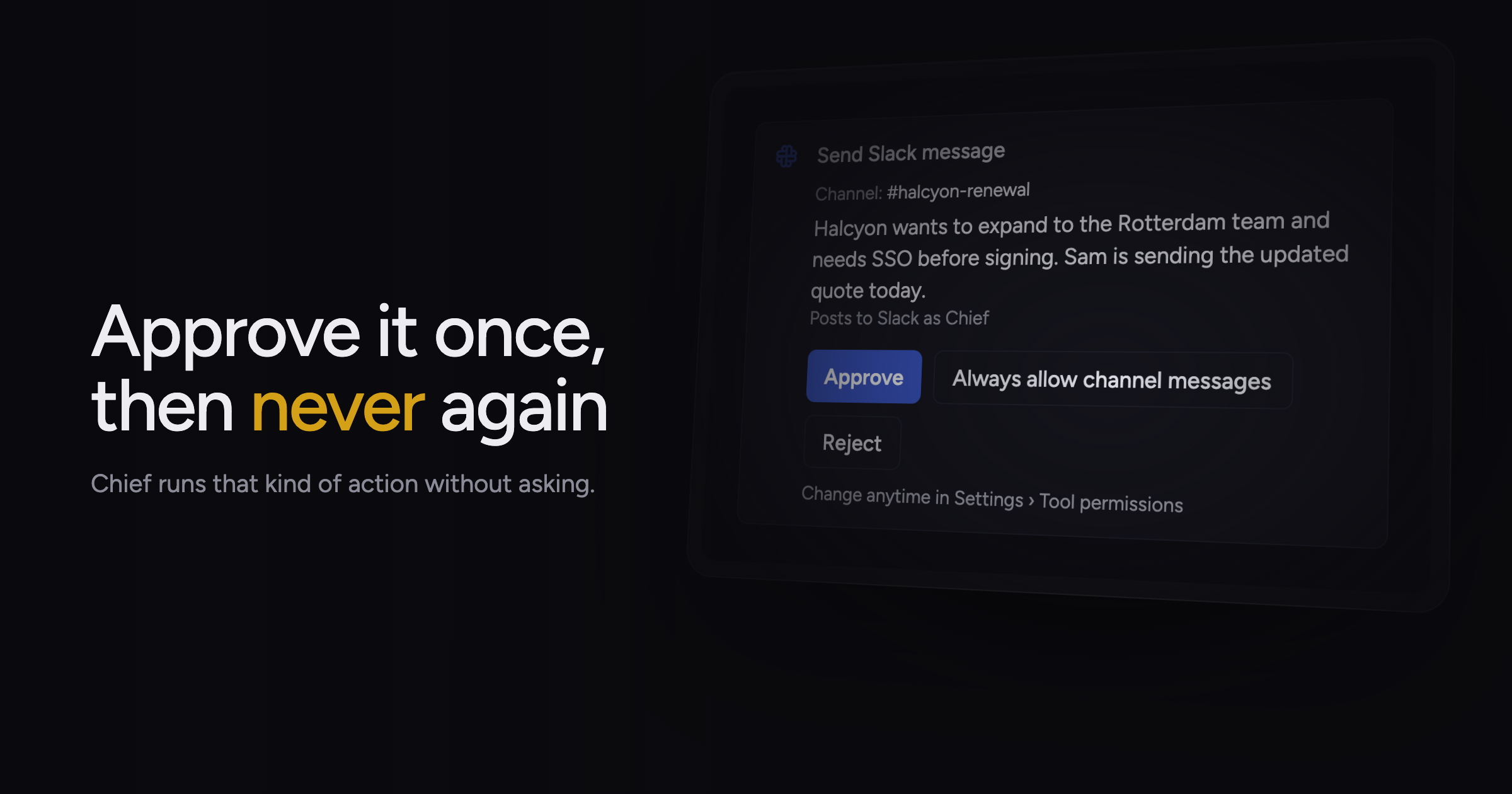
Each time Chief wanted to post a Slack reply or edit a Notion page for you, it stopped and showed an approval card, even for the tenth edit of the same kind that day.
Today, we're adding Always allow on tool approval cards, along with the Tool permissions page in settings and the Chief Android app for live sessions.
Always allow on approval cards
Approval cards now offer Approve, Always allow and Deny. Always allow approves the call in front of you and lets Chief run that kind of action without a card from then on. The button names the kind, such as Always allow Notion edits, Always allow channel messages or Always allow sending email.
After you click it, the card confirms the change, for example "Notion edits now run without asking", with a Manage link. Later calls of that kind show Ran automatically.
Always allow does not appear for deletes, in chats an Action started, or for anyone other than the person Chief proposed the change to. In Slack, the button appears only when every change on the card is of one kind.
Tool permissions page
The new Tool permissions page in settings lists every action you let Chief take without asking, and you can turn any of them off. The settings apply on web, Slack and the desktop app. Auto-approving Actions & granting permissions covers approvals.
Saved permissions on approval cards
- A Slack thread you reply in all day: pick Always allow thread replies and keep talking.
- Drafting email in bulk: pick Always allow draft edits so Chief writes each Gmail draft without a card.
- Updating Linear issues from a task: pick Always allow Linear edits and let Chief file changes.
- A calendar you rearrange often: pick Always allow calendar edits and let Chief move your meetings.
Live sessions from Android
The Chief Android app pairs with your browser, captures a live session from the phone microphone into the project you pick, lets you watch a live session in progress, and opens past sessions. Sessions recorded on the phone get a live summary and show up in Chief on the web.
Inviting people from the phone reuses the session's existing share link, and the screen tells you when it is a Collaborator link. Transcripts from a phone-hosted session label each voice as Speaker 1, Speaker 2 and so on.
The app records from the phone microphone only, so it cannot capture audio from calls or meeting apps on the phone. Recording needs credits in the project, and capture pauses when they run out, then continues in the same session once you add more.
Open Tool permissions in settings to review what Chief now does without asking.