Message Chief mid-research and watch each agent work live
Research tasks now show what each agent is doing as it works, answer messages you send mid-task without stopping, and finish within their time instead of coming back blank. The blog has a new design with topic tabs and correct share previews, and the shared-link and live-session pages gain Live notes, Activity and Documents tabs with a restyled cookie box. Fixes cover blank slides in presentation PDFs, a false New messages pill, and slow or empty answers over many spreadsheets.
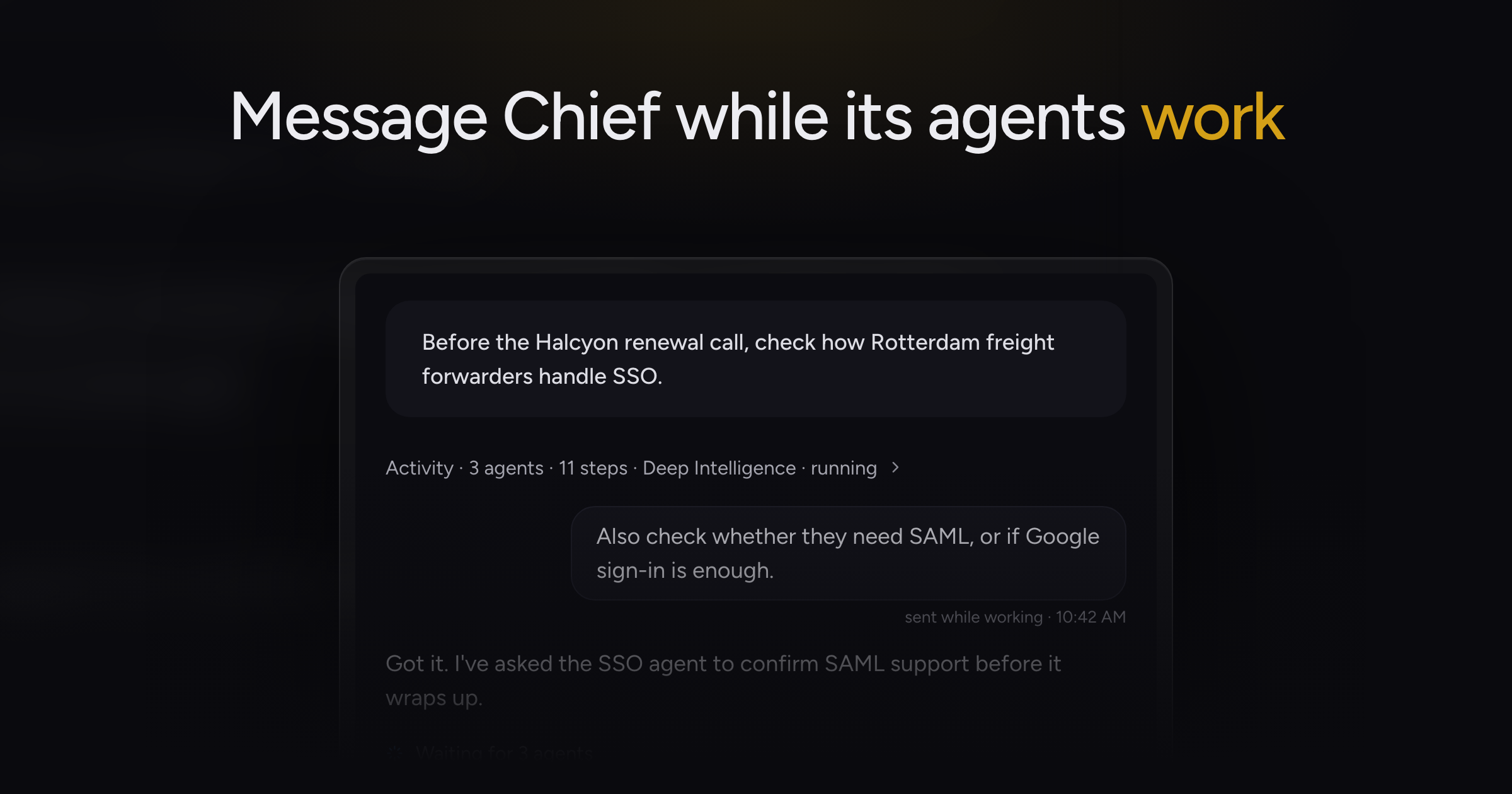
A long research task used to run silent until the answer arrived, and a big one could hit its time limit and come back with nothing at all.
Today, we're shipping live research activity, along with a redesigned blog and shared-link and live-session pages that match the desktop app.
Live research activity
While Chief researches, a status line under the task says what each agent is doing: "Searching the web for" a phrase, "Reading" a titled page, "Writing up findings", or "Waiting for 2 agents". Chief's notes appear as readable text while it works, then fold into Activity once the answer starts. Open Activity shows the full record of the task in time order.
Chief can send several agents off at once and keep working while they run. An agent stopped because Chief already answered shows as Cancelled, and one that ran out of time returns what it found, marked Partial.
Replies while Chief works
Send a message while a research task is running and Chief answers it in the task without stopping its work. Your message appears as a compact bubble marked "sent while working" with the time. Chief also posts a short reply when an agent finishes, saying what it found.
Research that finishes on time
Chief keeps track of how much time a task has left and wraps up its agents in time to give you an answer. Research mode also stops handing off simple requests to agents, so quick questions get quick answers.
Agents that stop early or fail now use credits for the work they did.
Research with live activity
- A long research question: watch the status line to see which pages and files Chief is reading.
- A detail you forgot to mention: send it mid-task and Chief answers and folds it in.
- A finished task you want to audit: open Activity to read every step Chief took in order.
Redesigned blog
The blog opens on a featured post, with topic tabs and cards that carry a cover image. Each post has an On this page list, buttons to share on LinkedIn or X or copy the link, and related posts at the end. Blog links you share now show the correct preview image.
Shared and live-session page tabs
The shared-link and live-session pages use the full width, and each panel scrolls on its own, so you can keep the summary in view while you scroll a long transcript. The right side has Live notes, Activity and Documents tabs, as in the desktop app.
Find searches both tabs and switches to the one that holds the current match. On narrow screens the panels stack into one column.
Older sessions without live notes show their Summary and action items in the Live notes tab.
The cookie consent box on shared pages now uses Chief's look and takes less room, with matching Accept and Deny buttons.
Fixes
- Slides in an exported presentation PDF came out blank. The PDF now shows each slide's content.
- The New messages pill appeared in a task with nothing new. It now shows only when new messages arrive.
- Answers over many spreadsheets took a long time, and a task that ran out of time came back as a blank chat. Spreadsheet answers finish faster, a timed-out task keeps its answer with a timeout message, and a message that cannot load shows an error card.
Start a research task in Deep Intelligence mode and watch the status line as it works. Deep Intelligence (Research) mode covers the mode, and Reading the activity feed covers Activity.