Copy or download any Live Session section from its ⋯ menu
A ⋯ menu on each Live Session section and a pair of buttons under each chat answer copy or download it as Markdown, Plain Text or Word, and Share moves to the top bar. Answers that use sub-agents keep inline citations in place of the end-of-answer Sources list, and spreadsheet search in chat works without selecting files first. Fixes cover the prompt bar, recording downloads and API chats on the usage page.
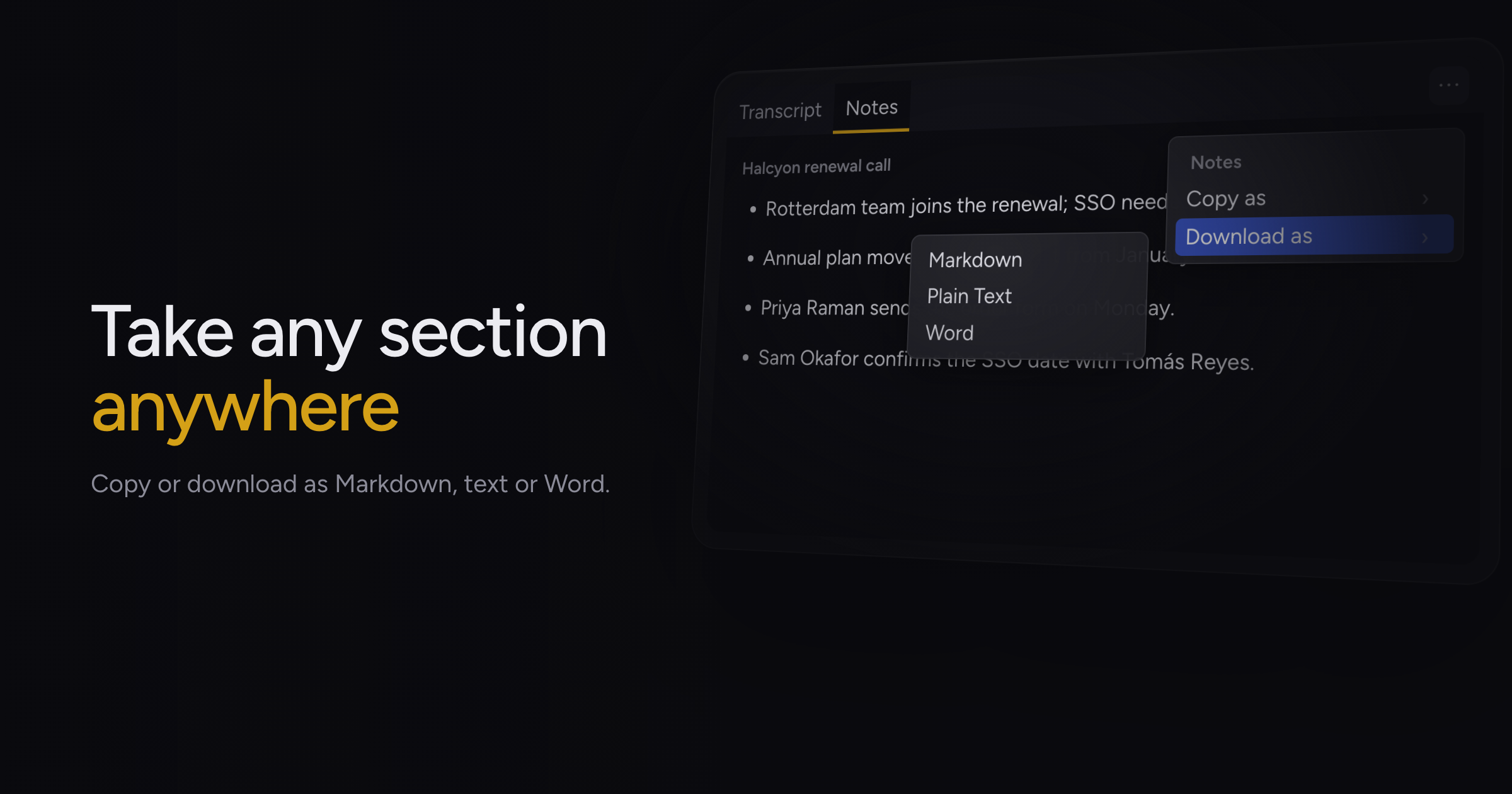
Getting a transcript, your notes or a chat answer out of a Live Session meant hunting for a different button in each toolbar, and a plain-text copy came out full of Markdown symbols.
Today, we're adding the ⋯ export menu, along with inline citations on sub-agent answers and spreadsheet search without selecting files.
The ⋯ export menu
Each section of a Live Session has one ⋯ menu with Copy and Download. The menu follows the tab you have open: Transcript, Notes or a document open over them, and Activity. The Chat panel header and each Activity card carry their own menu.
Copy offers Markdown or Plain Text. Download offers Markdown, Plain Text or Word, and Word files keep headings, lists and tables.
Each chat answer has Copy and Download buttons under it, so you can take one answer without exporting the whole chat.
Notes and documents export the saved document whole, including your edits, even when a tag filter narrows what you see. The Activity export lists what the Activity panel shows, oldest first.
Plain-text copies keep link addresses, list numbering and the breaks between paragraphs, in Chief sessions and in the web app.
Share in the top bar
The Share button sits in the top bar next to Find, since it shares the whole session. The Transcript, Live Notes and document toolbars no longer carry their own copy, download or share controls. Live Notes gains a tag button beside Surfaces.
Inline citations on sub-agent answers
Answers where Chief hands research to its agents keep inline citations, so you can check each claim against its source in one click. The long Sources list at the end of answers is gone.
Web search, web pages, your Library and past chats carry citations. Live sessions, Notion, Linear, Slack, email and calendar appear by name in the text with a link, and reports from Deep Intelligence do not carry inline citations. Understanding sources & citations in answers covers how to read them.
Spreadsheet search without selecting files
Ask about your spreadsheets in a project chat and Chief searches them without you picking files first. On projects with many spreadsheets, the search used to time out and return nothing. Chief now answers from the tabs closest to your question.
An @-mention of a file in a project chat narrows only that message, and your next message searches the whole Library again.
Fixes
- After you sent a message, the collapsed prompt bar grew into a tall blank box and covered the response on hover. The prompt bar now collapses to its normal size.
- Typing in a project chat's prompt bar could raise an error in the background. The prompt bar now cancels its pending suggestions without one.
- Live Session recordings took longer to open. They now download faster, and suggested follow-ups under older answers stop reloading each time you scroll back.
- Chats created through the Chief API showed no origin on the usage page. They now show as API.
Open a Live Session and pick ⋯ on any section to copy it. Copying responses as rich text or Markdown covers copying answers.